


.jpg)
MESSAGE FROM THE PRODUCT TEAM
"Every banker has asked the same question at some point: are they actually looking at the documents? Now you have the answer — instantly, without chasing anyone."
This spring, we are giving sell-side teams the visibility they have always needed: a clear, real-time picture of how buyers are engaging with your data room. Combined with smarter Q&A workflows and tighter access controls, this release is designed to keep your deal moving.
Analytics Dashboard
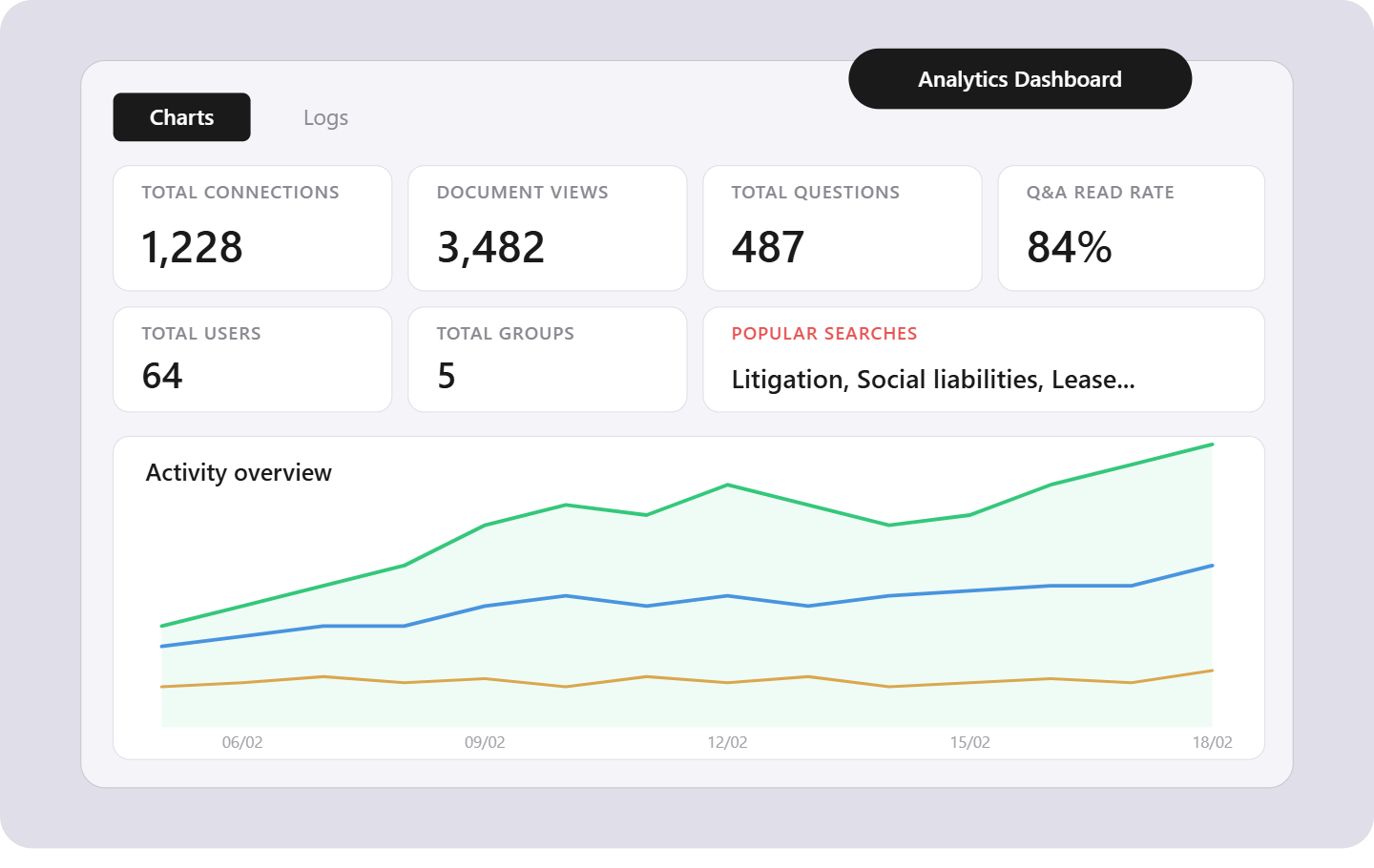
This is the headline feature of our April release. Sell-side administrators now have access to a dedicated analytics module that tracks buyer activity across the entire process. The dashboard surfaces key engagement signals — total connections, document views, questions asked, and Q&A read rates — all in a single filterable view. A daily activity timeline lets you monitor engagement momentum by group, and a popular search terms module reveals exactly what buyers are looking for in your documents. Combined with storage tracking and full traceability of user search queries, you now have everything you need to brief your client or prioritize follow-ups.
Benefit — Know which buyers are engaged and where they are spending their time, without asking.
Q&A Workflow
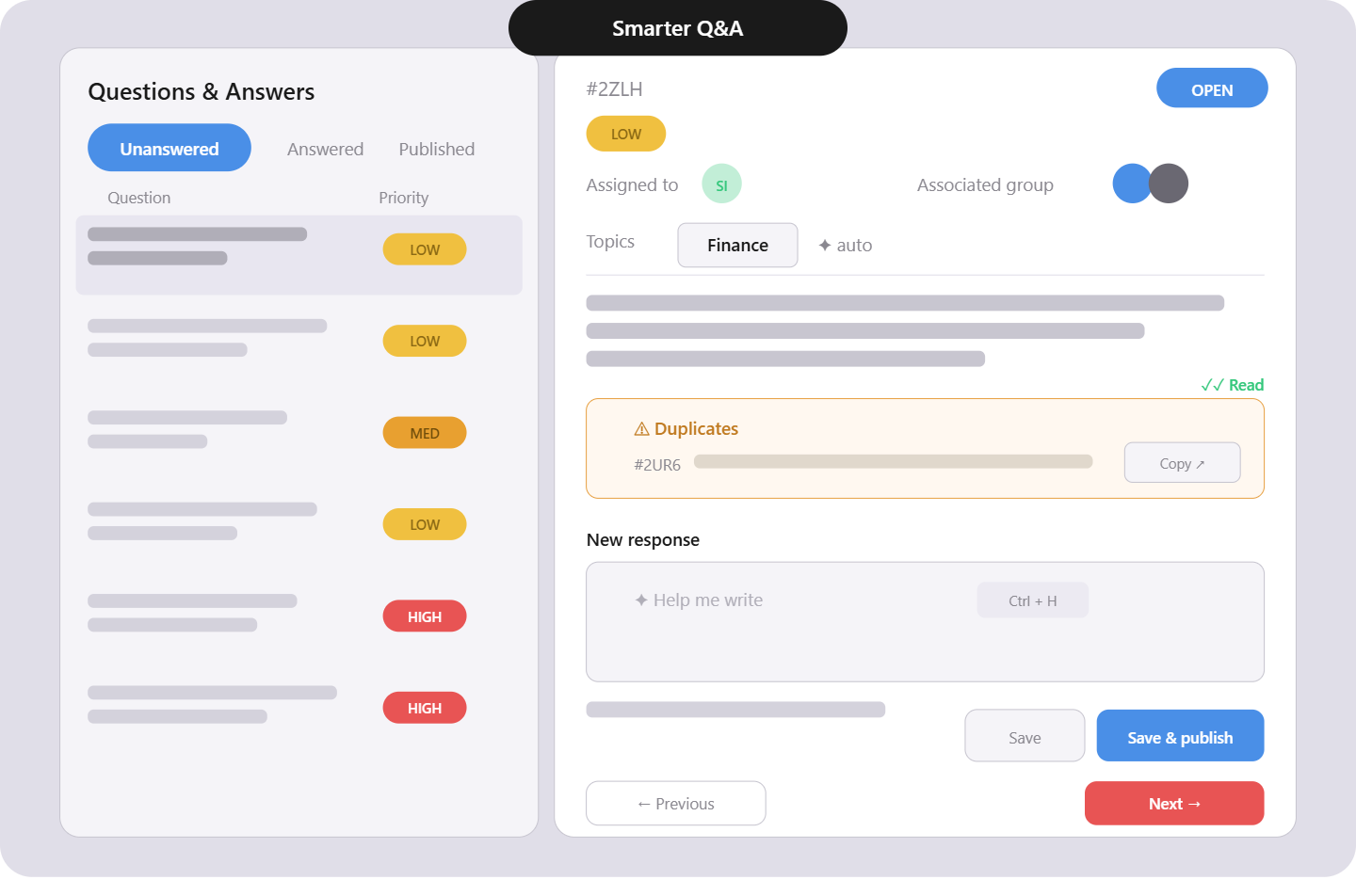
Read receipts now confirm when a buyer has viewed your answer. Duplicate responses can be copied along with their attachments in a single action, and a new "viewed answers" filter helps track which responses still need attention. Sellers now only see questions assigned to them, removing unnecessary noise from their workflow. Topics are auto-assigned by AI when new questions come in, reducing manual triage.
Benefit — Faster resolution cycles and clear accountability on every question.
Permissions & Roles
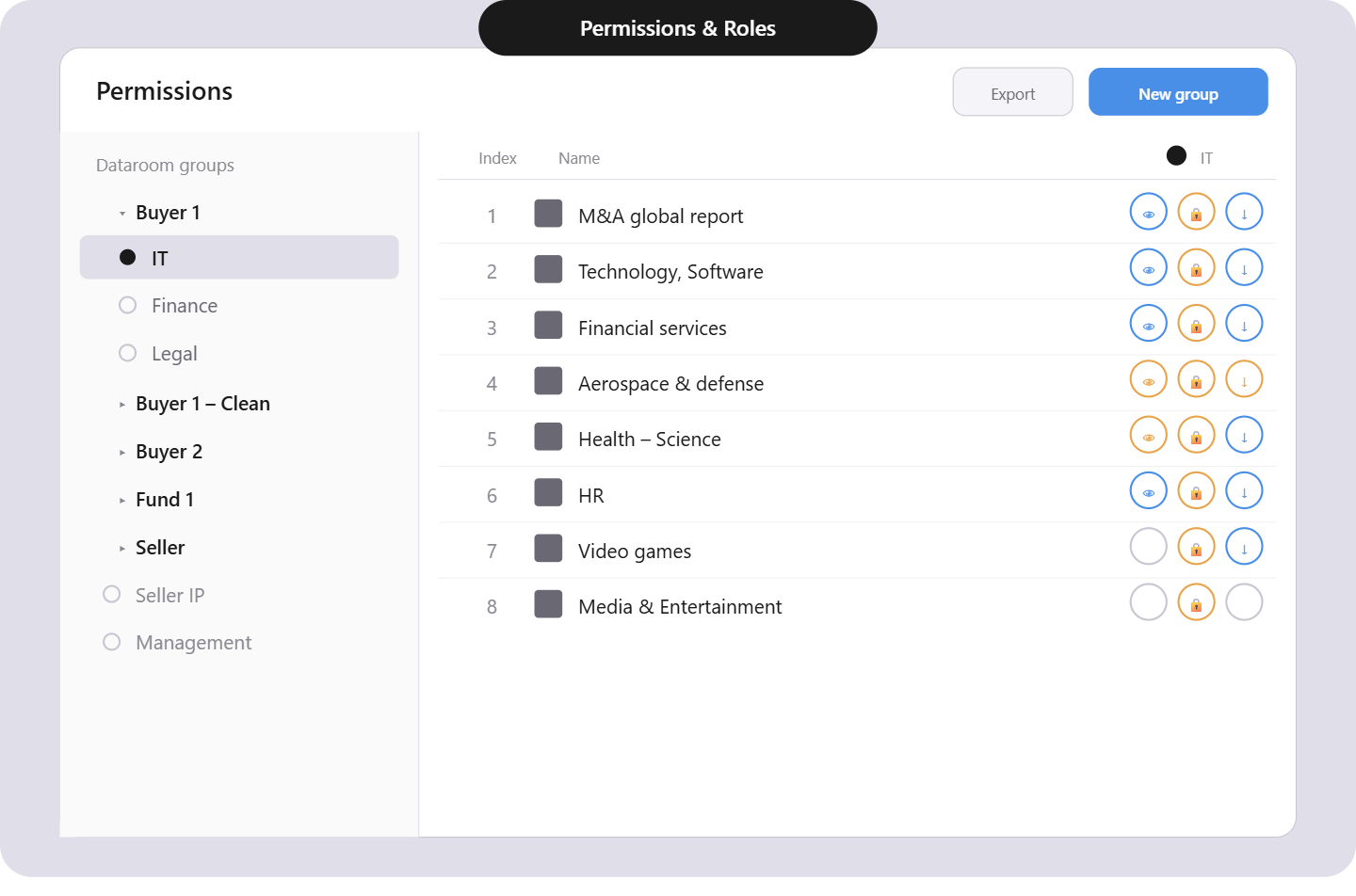
We have introduced a new role-based permission system. Roles are now selected at the moment of invitation, and users can be assigned directly to themes. Combined with Group Folders, administrators can structure access with precision from the first day of a deal.
Benefit — Tighter access control with less configuration overhead.
User Experience
Keyboard shortcuts are now displayed directly in the interface. We have improved the renaming modal, made theme names editable, and refined the AI assistant experience for smoother interactions across the platform.
Status — Updates are live and available to all users immediately.

.png)
.jpg)